
Can I Track My GOFO Driver in Real Time?
Your parcel sits somewhere between a warehouse and your door. The GOFO Tracking page hasn’t changed since morning, and the driver is a mystery. Before you refresh again, here is what the page can show you and what it can’t.
Quick Answer: No. GOFO’s public tracking shows scan events, not a live driver map. You see timestamped updates such as arrival at a facility, departure from a hub, and “Out for Delivery.” A proof-of-delivery photo often appears after drop-off.
How Does GOFO Update Your Tracking?
GOFO adds an update each time someone scans your parcel’s barcode. Updates typically appear at key transit points, such as departure, arrival at a sorting facility, and out for delivery. Between those points, the page stays quiet.
GOFO Delivery Times depend on the country, route, and shipping method. GOFO’s Netherlands support page says parcels are generally delivered within 3 to 5 working days after arriving in the Netherlands. A parcel-tracking app guide says delivery ranges from a few days to several weeks overall.
Why a Quiet Page Is Usually Normal
A parcel on a long highway leg gets no scans until it reaches the next hub. “No updates” nearly always means no new scan, not a lost parcel. Customs can also pause updates. GOFO says tracking on parcels from outside the EU may pause after arrival until customs clearance finishes.
Storms can also keep a parcel from moving. Heavy snow, ice, or flooding can slow sorting hubs and stop long-haul trucks, so the page may show no new scan for days. If your tracking has stalled during bad conditions, read this guide on GOFO Weather Delays. It says most weather-related delays add one to three days and clear once roads reopen and hubs catch up.
What “Real-Time” Means on Tracking Sites
Many sites call GOFO tracking “real-time.” They mean updates arrive as soon as GOFO logs a scan. That is fast notification, not a moving dot on a map.
What Each GOFO Tracking Status Means
Each status tells you where the parcel is in the process.
| Status | Meaning | Your next step |
|---|---|---|
| In Transit | The package is on its way to the next stop or moving between shipping points. | Check again the next day. |
| Out for Delivery | A driver has the parcel. On GOFO’s Netherlands support page, this status usually means arrival within 1 to 2 working days. | Be ready to receive it. |
| Delivery Attempted | The driver could not complete the delivery. | Check your address details and contact the seller. |
| Delivered | The parcel was marked as delivered. | Open the proof-of-delivery photo. |
What Happens After a Failed Delivery
GOFO does not send failed parcels to pickup points. Its Netherlands support page says it cannot reschedule delivery times or redirect parcels to pickup points. GOFO’s U.S. customer service page also says recipients cannot collect parcels themselves.
In the Netherlands, GOFO makes up to three delivery attempts. It then holds the parcel at its warehouse for 14 days before returning it to the sender. Retry rules may differ in other countries.
Missed deliveries are one of the most common reasons parcels stall. If you want a closer look at the redelivery timeline, the hold period, and what to do before a parcel goes back to the seller, read this guide on GOFO Delivery Attempts. It explains that GOFO typically schedules a redelivery for the next business day, and that timing can vary by region.
How to Track a GOFO Package Step by Step
Use these steps to get the most from the data GOFO provides.
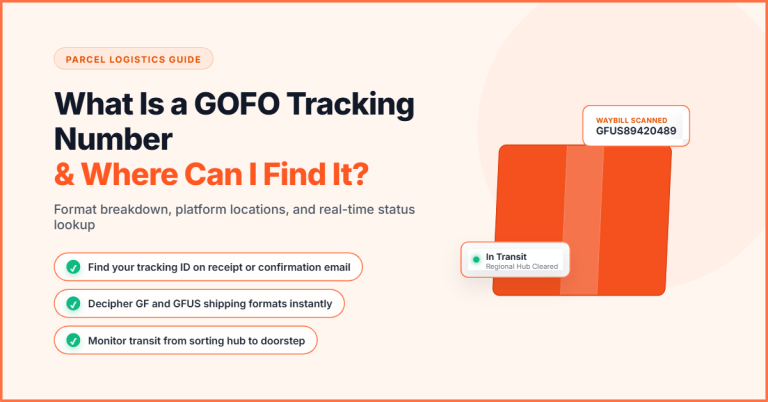
- Find your tracking number. Look in the seller’s shipping email or on your order page. Formats vary by country. For example, Netherlands numbers begin with “CINL” or “GFNL” followed by 13 or 14 digits.
- Use GOFO’s own page. Enter the number on gofo.com/us/track.
- Add a second tracker. Ship24 also shows scan history and delivery progress.
- Turn on alerts. Parcel Monitor says it follows each parcel as GOFO logs new scans.
- Save screenshots. A saved tracking history works as evidence if you file a claim.
What to Do After “Out for Delivery”
You cannot watch the route, but you can prepare. GOFO also doesn’t offer Same-Day Delivery to consumers, because its drivers follow assigned routes rather than on-demand dispatch.
After delivery, check the photo. GOFO says the proof-of-delivery photo usually shows where the parcel was left. Then check the mailbox, front door, shared storage areas, and other safe spots nearby. Ask neighbors or building management if they accepted it for you.
What to Do If Your GOFO Parcel Is Late or Missing
Start with the basics. Confirm the delivery address on your order and check the date of the last scan. GOFO asks recipients to contact support if a parcel’s status has not changed for more than 5 working days after arriving in the destination country.
If the parcel is confirmed lost or damaged, contact the seller. GOFO tells recipients to contact the sender directly to handle claims for lost parcels. Keep your screenshots and the proof-of-delivery photo ready.
A note on consumer law: the FTC’s Mail, Internet, or Telephone Order Merchandise Rule covers how quickly a seller must ship an order. It does not cover delays or losses after the parcel is with a carrier. For those, rely on the seller’s or marketplace’s refund policy.
Contacting GOFO Support
Recipients in the United States with delivery issues or tracking questions should call +1 (949) 688-6032. GOFO’s tracking portal lists weekend hours of 11:00 AM to 7:00 PM EST for this line. Check the portal for weekday hours, since they can change.
GOFO’s other U.S. phone line is for sellers and warehouses, not recipients. Have your tracking number, name, and delivery address ready when you call.
Conclusion
GOFO does not show a live driver location. It shows scan-based updates, status labels, and often a delivery photo. Check your tracking number daily, use an alert tool, and watch for “Out for Delivery.” If scans stop for several working days, contact the seller and GOFO Support, and keep your screenshots as proof.
Frequently Asked Questions
Q. Can I see my GOFO Driver on a Live Map?
No. GOFO’s public tracking lists scan events, not a driver’s live position.
Q. Why Hasn’t my GOFO Tracking Updated in Days?
The parcel may be traveling between hubs or waiting in customs. Both can pass without new scans.
Q. What Does “Out for Delivery” Mean?
A driver has your parcel and is working toward delivery.
Q. Can I Pick up my Parcel From a GOFO Facility?
No. GOFO says recipients cannot collect parcels themselves, and it does not redirect parcels to pickup points.
Q. Can I get Alerts when my GOFO Parcel Moves?
Yes. Trackers such as Ship24 and Parcel Monitor can alert you when GOFO logs a new scan.
Q. Who Should I Contact About a Missing GOFO Parcel?
Contact the seller first. You can also contact GOFO support with your tracking number and address.
One Comment